Every year, hundreds of workers suffer serious injuries during equipment servicing—preventable tragedies caused by unexpected energization or startup of machinery. The solution starts with a simple but powerful tool: the lockout tagout (LOTO) form. And when it comes to real-world implementation, printable lockout tagout forms are the backbone of consistent, compliant safety procedures in manufacturing plants, maintenance shops, and industrial facilities.
These aren’t just documents—they’re procedural safeguards. Used correctly, printable LOTO forms standardize how teams isolate energy sources, verify de-energization, and communicate during maintenance. But a poorly designed or inconsistently used form can create false confidence. The right template, tailored to your operations and regulatory requirements, makes all the difference.
This guide cuts through the clutter to deliver practical templates, smart workflow integration strategies, and real-world insights on maximizing the value of your printable LOTO forms.
Why Printable LOTO Forms Are Essential for Safety Compliance
Printable lockout tagout forms serve as the tangible record of a critical safety process. While some organizations have moved to digital systems, many still rely on physical forms because they’re accessible, don’t require technology in hazardous zones, and are easier to audit.
OSHA standard 29 CFR 1910.147 mandates that employers establish a documented energy control program. At the heart of that program? A written procedure—and that’s where your printable form comes in.
A well-structured form ensures:
- Clarity: Every worker understands which energy sources are controlled.
- Accountability: Each person involved signs the form, creating a chain of responsibility.
- Verification: Steps like testing for zero energy are recorded on paper.
- Audit readiness: Inspectors can quickly review completed forms during compliance checks.
Without a standardized printable form, teams risk skipping steps, miscommunicating isolation points, or failing to re-energize equipment safely.
Real-World Example: The Cost of Skipping the Form
In a Midwest fabrication plant, a technician bypassed the LOTO procedure during a routine belt replacement. The supervisor assumed power was off—no form was filled out. A junior electrician, unaware of the maintenance, re-energized a circuit. The result: a severe hand injury.
An investigation found no documented LOTO procedure had been used. A simple, printable form requiring verification and dual signatures could have prevented the accident.
Key Elements Every Printable LOTO Form Must Include
A strong printable lockout tagout form isn’t just a checklist. It’s a procedural roadmap. Here are the non-negotiable components:
1. Equipment Identification Clearly list the machine name, ID number, and location. Avoid vague labels like “Press #2”—use asset tags or serial numbers when possible.
2. Authorized Employee(s) Designate the primary person performing the lockout and any supporting team members. Include job titles and contact info.
3. Energy Source Breakdown List every type of energy involved:
- Electrical
- Hydraulic
- Pneumatic
- Gravity
- Chemical
- Thermal
For each, specify the isolation point (e.g., “Main 480V disconnect,” “Hydraulic valve block”).
4. Lock and Tag Placement Document where each lock and tag is applied, who owns it (with signature), and the time applied.
5. Verification of Isolation
This is where many forms fail. Include a space for the technician to confirm zero energy state—by testing (e.g., using a voltage tester) not just assumption.
6. Duration and Purpose State the expected lockout duration and reason for maintenance (e.g., “Replace drive motor,” “Clear jam in conveyor”).
7. Clearance and Re-energization Require final sign-off from all authorized personnel before removing locks. Include time and signature for re-energization.
Common Mistakes When Using Printable LOTO Forms
Even with a solid template, human error can undermine the process. Watch for these recurring issues:
❌ Using a Generic Form Across Multiple Machine Types A form designed for a lathe won’t suffice for a boiler system. Customize templates per equipment class or risk missing critical energy sources.
❌ Skipping the Verification Step Writing “verified” without actual testing is a compliance failure. Always require proof of zero energy.
❌ Allowing Unsigned or Incomplete Forms A missing signature breaks the chain of accountability. Never allow partial forms to be filed.
❌ Poor Storage and Access If forms are locked in an office, technicians won’t use them. Keep printable LOTO forms in binders near equipment or in maintenance carts.
❌ Failing to Train on the Form A form is only as good as the people using it. Train all authorized employees on how to complete it accurately.
Top 5 Free Printable LOTO Form Templates
While you can build your own, starting with a high-quality template saves time and ensures compliance. Here are five vetted, printable LOTO form options—each downloadable as PDF or Word:
| Template Name | Source | Format | Key Features | Best For |
|---|---|---|---|---|
| OSHA-Compliant LOTO Form | SafetyStratus | PDF, Word | Full energy breakdown, dual verification | General manufacturing |
| Simplified LOTO Checklist | Creative Safety Supply | Visual layout, quick-use format | Small shops, startups | |
| Multi-Energy Control Form | Grainger | Tracks 5+ energy types, space for diagrams | Complex machinery | |
| Daily Lockout Log | SafetyInfo | Tracks recurring maintenance | Facilities with frequent service | |
| Blank Customizable Template | Safety Made Easy | Word | Fully editable fields | Organizations with unique workflows |
Tip: Print these on bright yellow or red paper to increase visibility and reinforce their importance in high-traffic areas.
How to Integrate Printable Forms Into Your LOTO Workflow

A form isn’t a one-time document—it’s part of a sequence. Integrate it like this:
- Pre-Work Briefing
- Review the task, assign roles, and pull the correct printable form.
- Shutdown & Isolation
- Follow written procedures to shut down equipment and apply locks.
- Complete the Form
- Fill out machine ID, energy sources, lock locations, and apply signatures.
- Verify Zero Energy
- Test circuits, bleed lines, and confirm isolation—record results.
- Perform Maintenance
- Keep the completed form visible at the lockout point.
- Clear and Re-energize
- Confirm all tools are removed, personnel are clear, and all sign off.
- File the Form
- Store for at least one year for audit purposes.
Pro Tip: Use clipboards mounted near lockout stations. Include a stack of blank forms, pens, and PPE reminders.
When to Consider Digital vs. Printable LOTO Systems
While printable forms dominate in most environments, digital solutions are gaining ground. Here’s when to stick with print:
✅ Low-tech environments – No Wi-Fi or device access in production areas ✅ Rapid response needs – Printers down? You still have paper backups ✅ OSHA audits – Physical records are easier to present ✅ Training new employees – Tangible forms reinforce process discipline
But consider digital if you: - Have multiple shifts needing real-time visibility - Want automated reminders for overdue lockouts - Need integration with CMMS or ERP systems
For now, printable forms remain the most practical and compliant option for the vast majority of industrial operations.
Design Tips for Effective Printable LOTO Forms
A good form is not just complete—it’s usable under pressure. Follow these design principles:
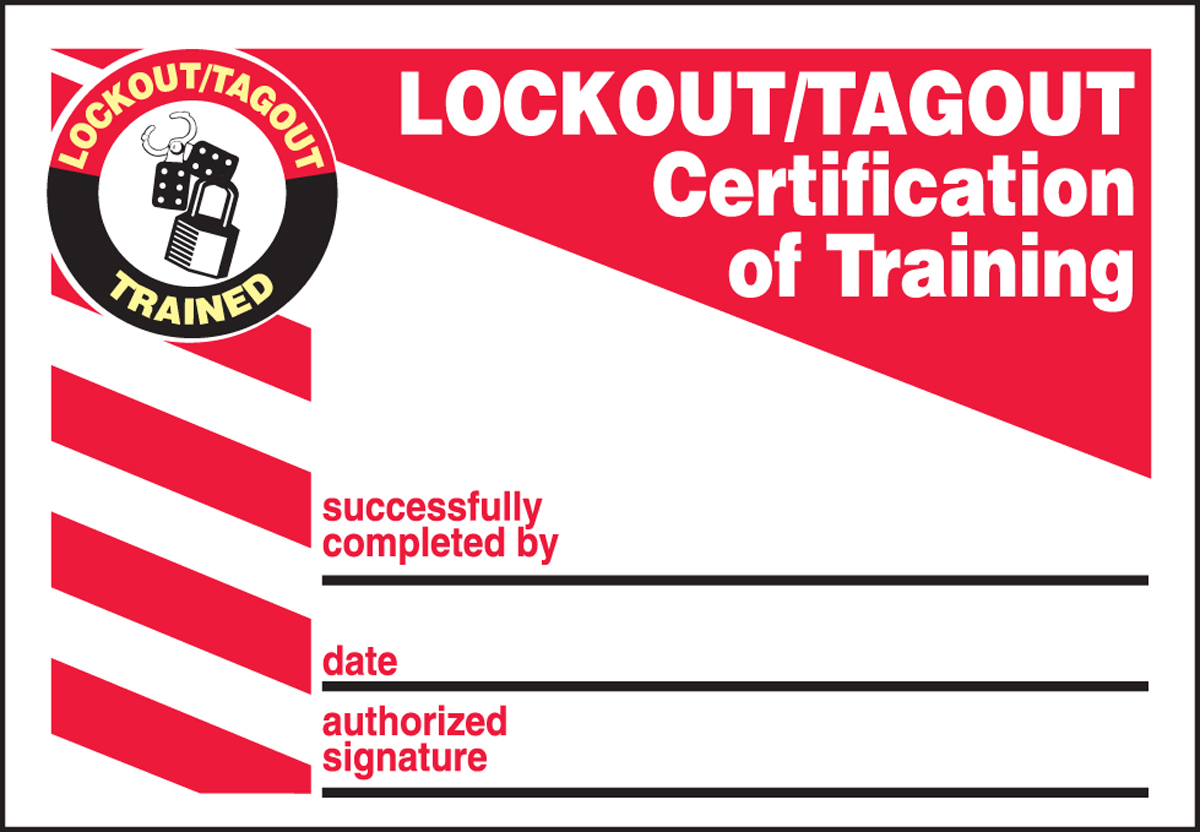
- Use check boxes, not blank lines – Reduces incomplete entries
- Include visual icons – A lightning bolt for electrical, gear for mechanical
- Highlight critical steps in red or bold – “Verify zero energy” should stand out
- Keep it to one page – Two pages increase the risk of loss or misplacement
- Use durable paper – Consider waterproof or tear-resistant stock for harsh environments
One facility reduced LOTO errors by 40% simply by switching from white paper to red, double-laminated forms with bold headers.
Final Thoughts: Treat Your Printable LOTO Form as a Living Document
Your printable lockout tagout form isn’t a static piece of paper—it’s a dynamic safety tool. Revisit it quarterly. Test it during drills. Solicit feedback from technicians. Update it when equipment changes.
The best templates evolve with your operations. Pair a well-designed printable form with consistent training and leadership accountability, and you’ll create a culture where safety isn’t just documented—it’s lived.
Start today: Download a reliable template, customize it for your top three machines, and run a mock lockout drill. That single action could prevent the next avoidable incident.
Frequently Asked Questions
What should I do if a printable LOTO form gets damaged or lost during maintenance? Immediately halt work. Re-initiate the lockout process with a new form. Document the incident and retrieve or replace locks before proceeding.
Can I use the same printable form for different machines? Only if the machines are identical in energy sources and isolation points. Otherwise, customize forms per equipment type to avoid missing critical steps.
How long should I keep completed LOTO forms? OSHA doesn’t specify retention time, but industry best practice is at least one year for audit and incident investigation purposes.
Who can sign a printable LOTO form? Only authorized employees trained in energy control procedures. Affected employees (operators) cannot sign off on lockout.
Should the form stay with the locks or go to the office? Keep the form at the lockout point during maintenance. Move it to a central file after re-energization.
Can I print LOTO forms in color? Yes—and you should. Color improves readability and compliance. Use red headers for warnings and green checkmarks for completed steps.
Are handwritten forms acceptable for OSHA? Absolutely. As long as the writing is legible, complete, and signed by authorized personnel, handwritten printable forms are fully compliant.
FAQ
What should you look for in Printable Lockout Tagout Forms: Free Templates & Best Practices? Focus on relevance, practical value, and how well the solution matches real user intent.
Is Printable Lockout Tagout Forms: Free Templates & Best Practices suitable for beginners? That depends on the workflow, but a clear step-by-step approach usually makes it easier to start.
How do you compare options around Printable Lockout Tagout Forms: Free Templates & Best Practices? Compare features, trust signals, limitations, pricing, and ease of implementation.
What mistakes should you avoid? Avoid generic choices, weak validation, and decisions based only on marketing claims.
What is the next best step? Shortlist the most relevant options, validate them quickly, and refine from real-world results.